01 / Our own product · Cape Town
 WAID
WAIDWhat Am I Doing
A project manager for freelancers, studios and families. Every company, client, project and grocery list in one place, with AI agents that can work on all of it.
- Next.js 16
- React 19
- TypeScript
- Tailwind v4
- Supabase
- SwiftUI
- WidgetKit
- watchOS
- Capacitor 8
- MCP
- PayFast
- Resend




02 / The brief
Four apps every morning.
Freelancers running three companies, small studios doing client work and families running a household all end up in the same mess: docs in one tool, issues in another, clients in a spreadsheet and the family on WhatsApp. WAID started as our own fix, and became the tool every Dezignza project now runs through.
Before
After
- Studio North29 open
- Freelance12 open
- Coaching club4 open
- Home and family9 open
03 / By the numbers
Five months. One platform. Live figures.
- 69
- database tables, every one behind row level security
- 188
- RLS policies keeping each tenant in their own lane
- 108
- migrations from first commit to today
- 63
- MCP tools AI agents can call
- 15 117
- AI agent calls logged since May
- 6 878
- tasks tracked on the platform
- 48%
- of all comments written by AI agents
- 131
- tasks shipped in a single day
Pulled from the production database on 15/10/2026. Task and comment counts include every workspace on the platform.
04 / The gap
Nothing out there did all six.
Developer tools assume you write code. Doc tools assume you will build your own system. Enterprise suites assume you have a project manager. None of them treat a school concert as real work, and none of them let an AI agent do the admin for you.
| Capability | Developer issue trackers | Doc and wiki tools | Enterprise PM suites | WAID |
|---|---|---|---|---|
| One dashboard across several companies | ||||
| Clients with their own portal and billing | ||||
| AI agents can read and write everything | ||||
| Family life is first-class, not a hack | ||||
| Approachable for people who never used a kanban | ||||
| Native iPhone, Apple Watch and widgets |
Partly, with workaroundsNot really
05 / Who it is for
Built for three kinds of busy.
Three personas from the product spec drove every screen. Same app, same data model, very different mornings.
The multi-company freelancer
Several companies, 20+ live projects
Managing 3 companies, 8 clients and 20 projects. One dashboard.
Goals
- One morning view across every company
- Client work and life side by side
- Let an AI agent do the admin
Frustrations
- Opens four apps before 08:00
- Docs, issues and clients never talk
- Nothing knows about the school run
Lives in
The small studio
2 to 10 people, client work
Your client sees their project. Nothing else.
Goals
- Track clients, projects and billing
- Assign the team and run sprints
- Give clients a clean portal
Frustrations
- Big suites feel bloated
- Paying per seat for unused features
- Clients email screenshots of bugs
Lives in
The household organiser
School, pets, home and events
School schedule, vet appointments, grocery list. Same app.
Goals
- One shared calendar for everyone
- Todos the kids can actually see
- Capture from the wrist in a second
Frustrations
- WhatsApp groups bury everything
- Has never used a kanban board
- Every app wants a different login
Lives in
06 / Information architecture
One structure for any kind of life.
Five fixed levels that rename themselves by context. Clients and projects are optional, so a grocery list and a 20-project portfolio share the same bones. No abstract nodes, no setup wizard.
- Level 1
Workspace
A company, a club, a household
- Level 2
Client
Optional. Who the work is for
- Level 3
Project
Optional. A goal with a finish line
- Level 4
Task
One thing someone does
- Level 5
Sub-task
The steps inside it
Example
A freelancer
- Studio North
- Harbour & Co
- Website rebuild
- Write the hero copy
- Draft three options
- Write the hero copy
- Website rebuild
- Harbour & Co
Example
A sports club
- Kloof Football Club
- U12 squad, spring season
- Order new kits
- Confirm sizes with parents
- Book the bus to the tournament
- Order new kits
- U12 squad, spring season
Example
A household
- Home
- Kitchen renovation
- Get three quotes
- Call the tiler back
- Groceries: milk, eggs, coffee
- Get three quotes
- Kitchen renovation
iOS sitemap
Four tabs, thumbs first. Everything else is one level down.
07 / Design system
Not corporate. Not dark-agency. Not developer-tool grey.
- Rounded and welcoming
- Light first, dark ready
- Colour is wayfinding
- Thumbs first, mice second
- Skeletons, not spinners
- Sentence case everywhere
- Nothing with a radius of 0
- Every feature gate explains itself
Colour
A sage canvas, white cards and one gradient to carry the brand.
- Sage page#F8F9F5
- Sidebar#F2F3EF
- Card#FFFFFF
- Ink#16181A
- Muted#6B7280
- Capture cyan#22D3EE
Workspace palette · 12 colours, each with its own tints
Typography
Aa
Status and priority
Every status has a colour, an icon and its own column.
- Backlog
- Todo
- In progress
- Review
- Done
- Bug
- Query
Priority
- Urgent
- High
- Medium
- Low
Radii and elevation
Soft corners and layered shadows. Nothing sharp.
- 10pxChipsxs
- 14pxButtons, inputssm
- 20pxCardsmd
- 28pxStat cardslg
- pillPillsdrag
Components
One kit for web, iOS and the Watch. Chunky, tappable, 48px minimum.
Motion
Small, physical, quick.
- Drag
- Card lifts 2°, spring snap-back
- Status
- Colour shifts over 200ms
- Done
- Strikethrough draws in 300ms
- Hover
- Cards lift 2px
- Modals
- Scale from 95% to 100%
Colour as wayfinding
Pick a colour once. It follows you everywhere.
- FreelanceSidebar dot
- FreelanceBreadcrumb
- Card strip
- FreelanceHeader
08 / The web app
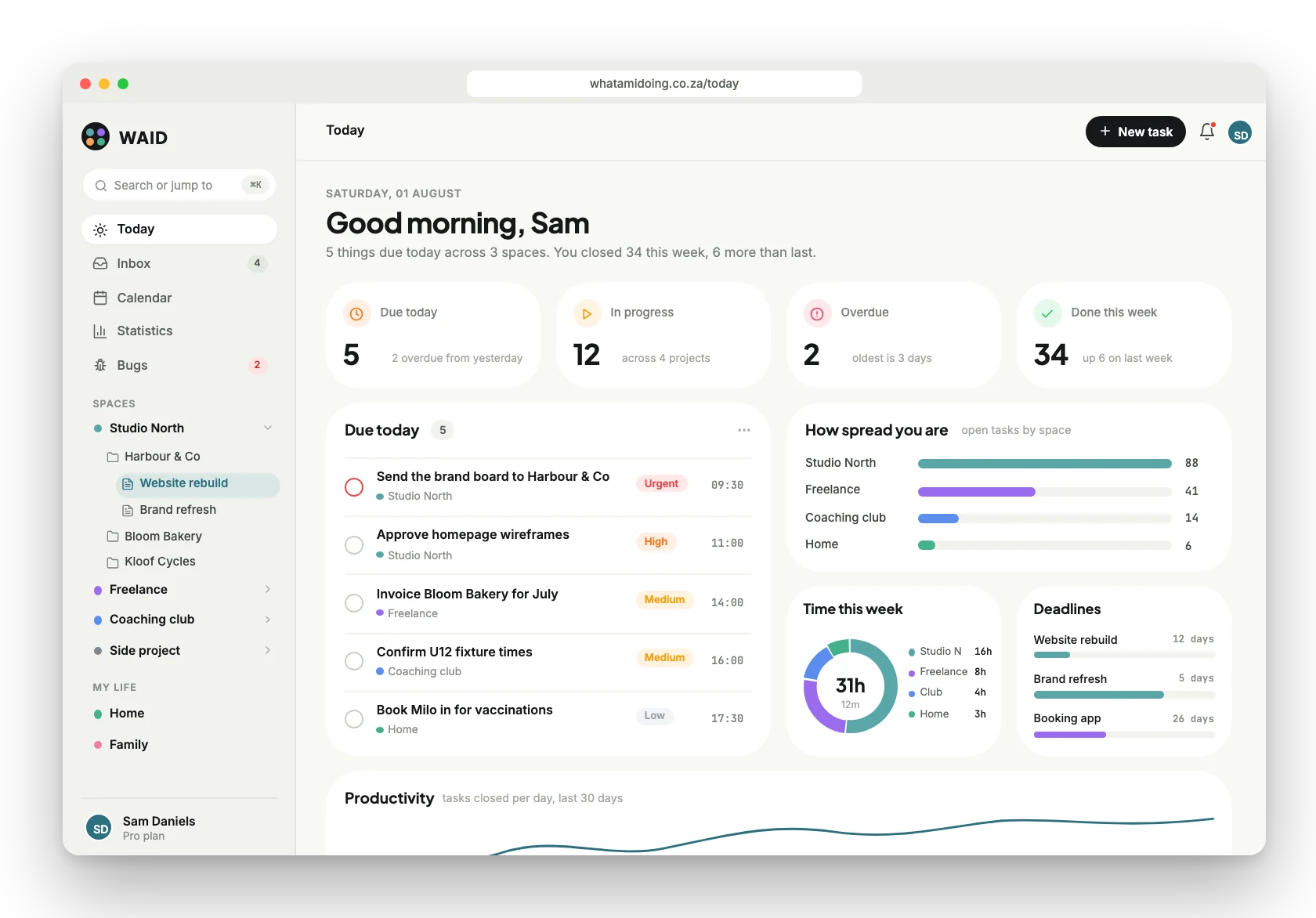
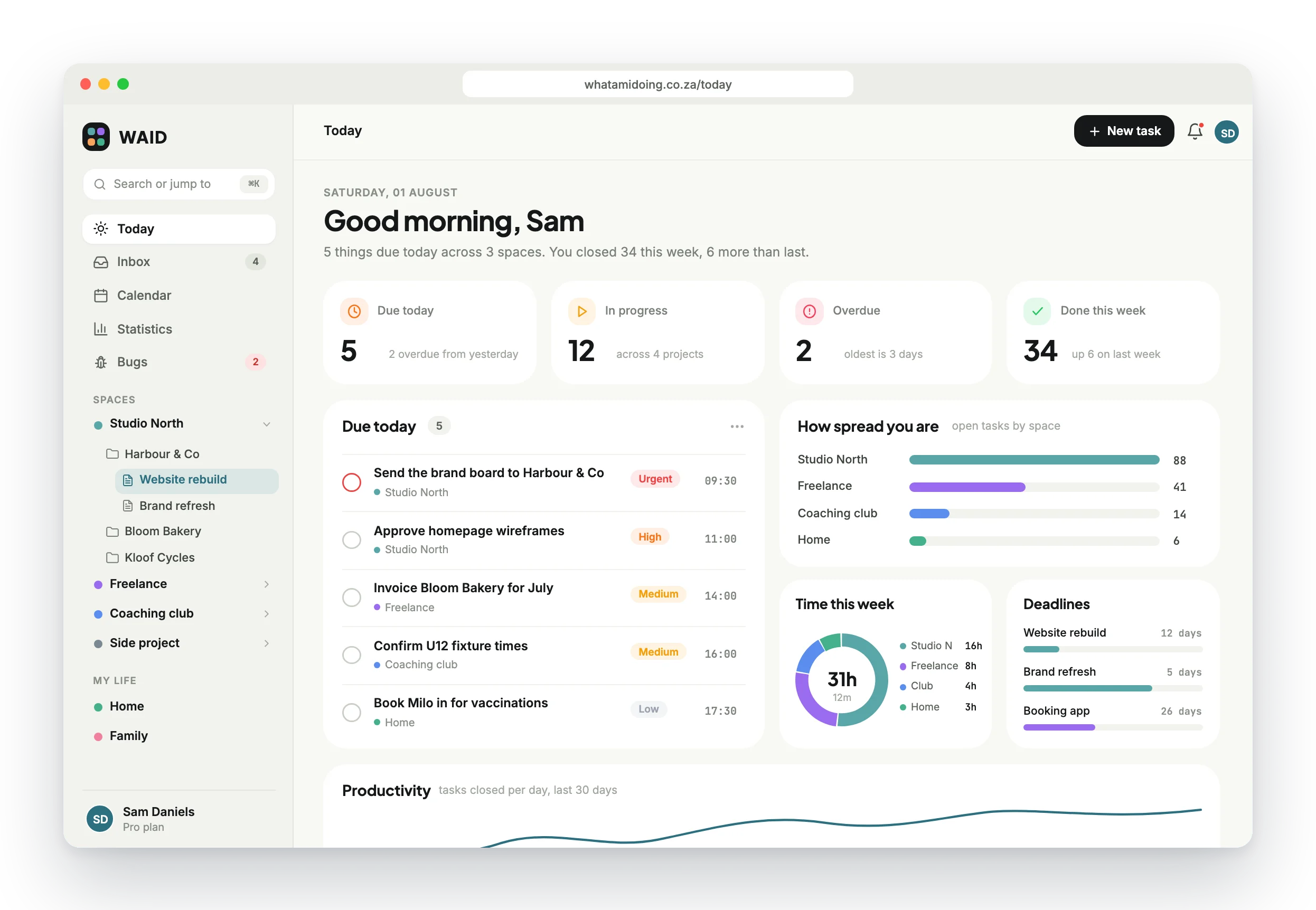
My Day, across every company.
The dashboard answers one question first thing in the morning: what am I doing today? Due work from every space in one list, coloured by where it lives, plus a widget grid you drag, resize and keep.
 1
2
3
4
1
2
3
4
- 1⌘K from anywhere
Search, jump and capture without leaving the keyboard.
- 2Every company in one tree
Workspaces, clients and projects, each with its own colour.
- 3Due today, everywhere
One list across all spaces, with priority and time.
- 4Widgets you arrange
Drag and resize. The layout is saved per person.
09 / Projects and docs
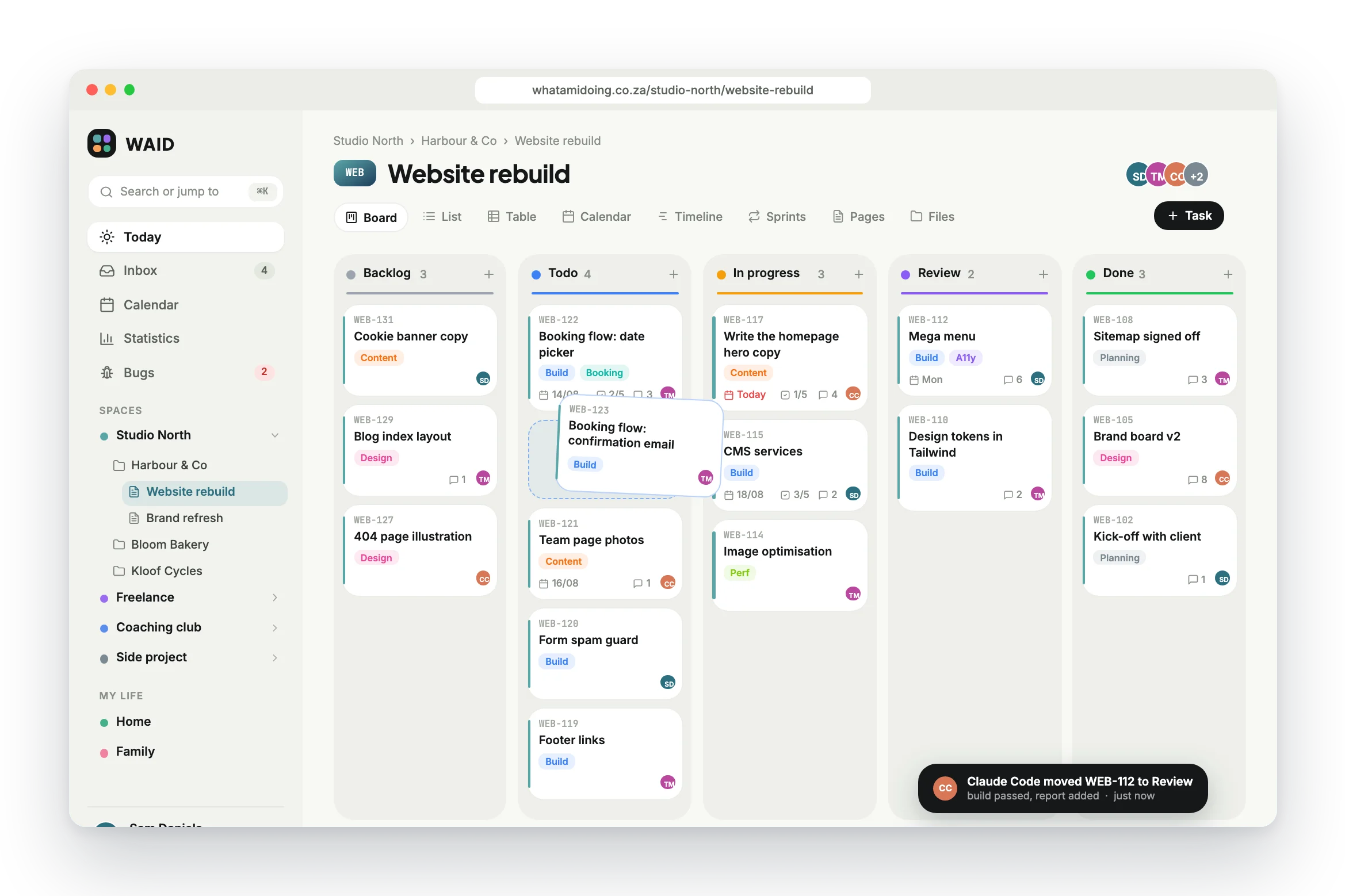
Board, list, calendar or timeline. Same data.
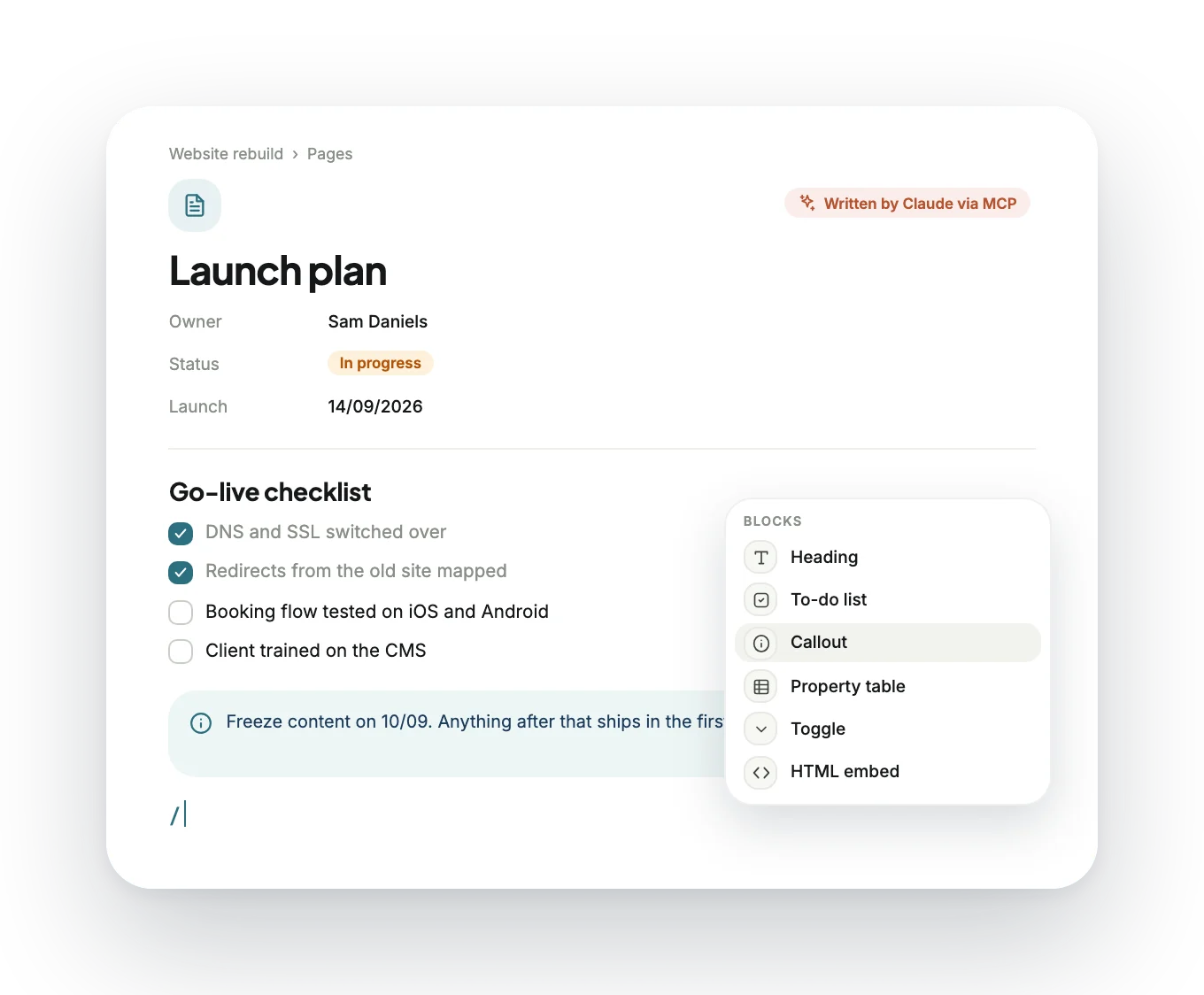
Every project is a small repository: an overview, a board, pages, files and a session log. Custom statuses per project, each with its own icon and colour. Drag a card and it tilts like paper.
- Custom workflows
Statuses per project, drag to reorder, each with icon and colour.
- Sprints
Planning view, velocity, one active sprint at a time.
- Dependencies
Blocks and blocked by, flagged right on the card.
- Milestones
Progress rolls up and shows on the timeline.
- Time tracking
Start, stop, log by hand. One timer at a time.
- Fields and labels
Custom fields, labels, task types and templates.
- Revision history
Every page keeps its versions. Agents cannot wipe them.
- Share links
Read-only public links for a project or a page.
10 / Native iOS
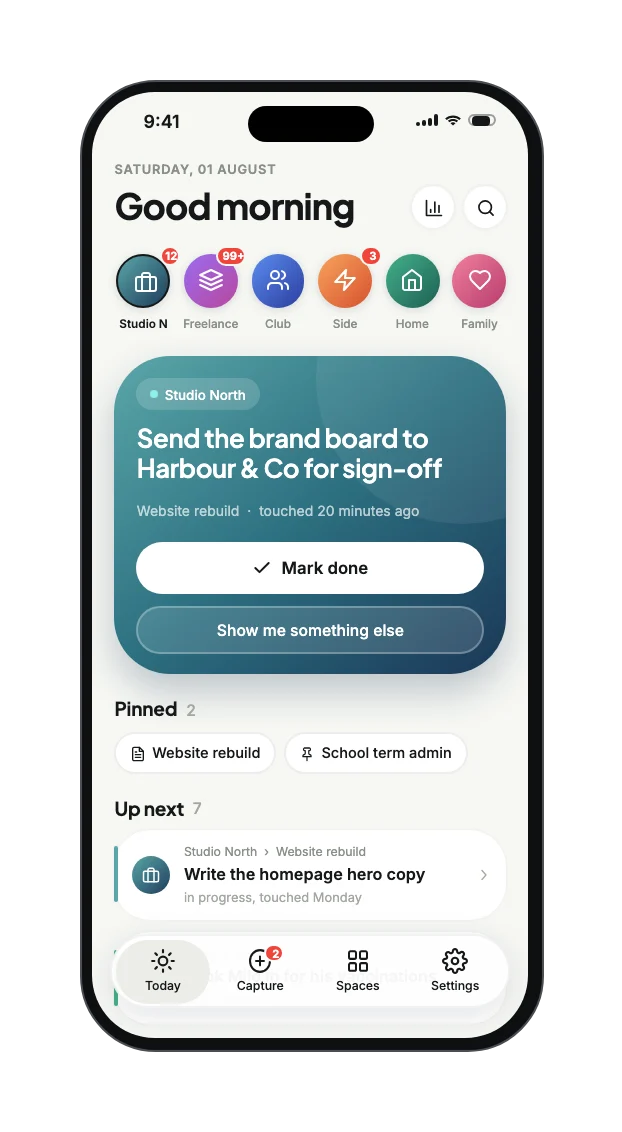
Native SwiftUI, not a wrapped website.
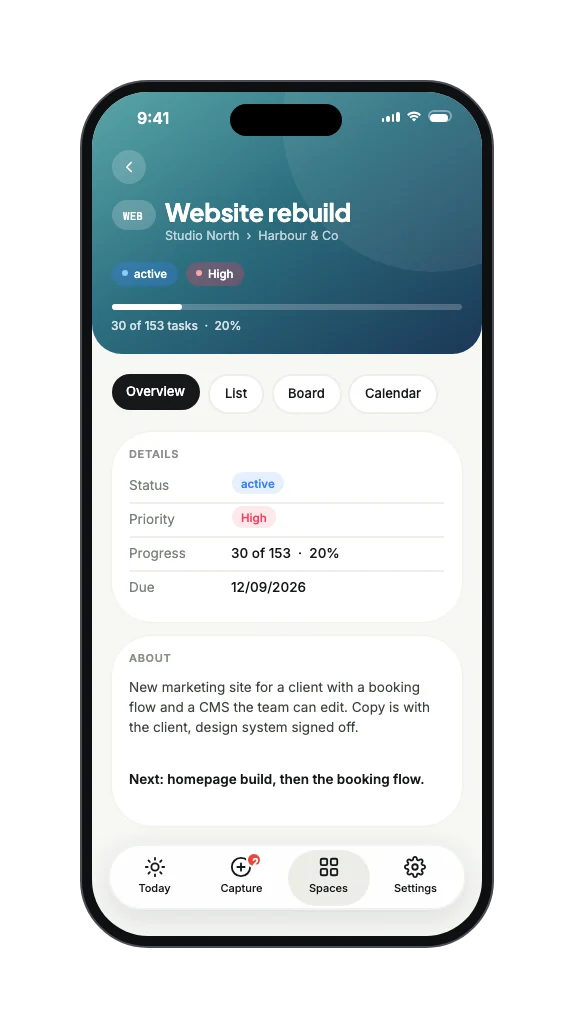
Android gets the web app through Capacitor. iPhone got the full native build: SwiftUI screens on a shared Swift data client, optimistic writes, realtime updates and honest offline states.
 Today
TodayOne thing now, not a wall of tasks.
 Spaces
Every workspace as a tile with live counts.
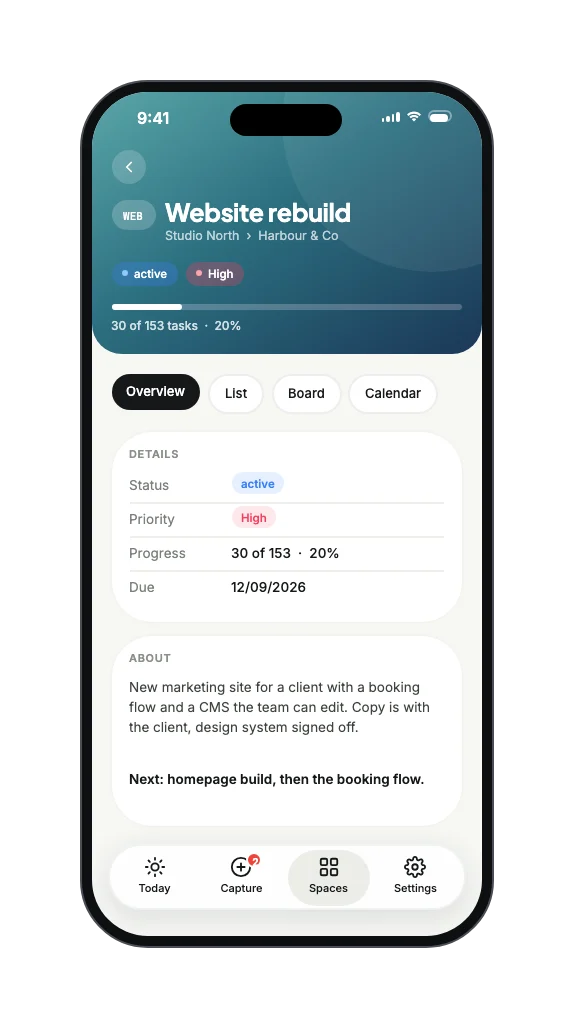 Project
Overview, list, board and calendar.
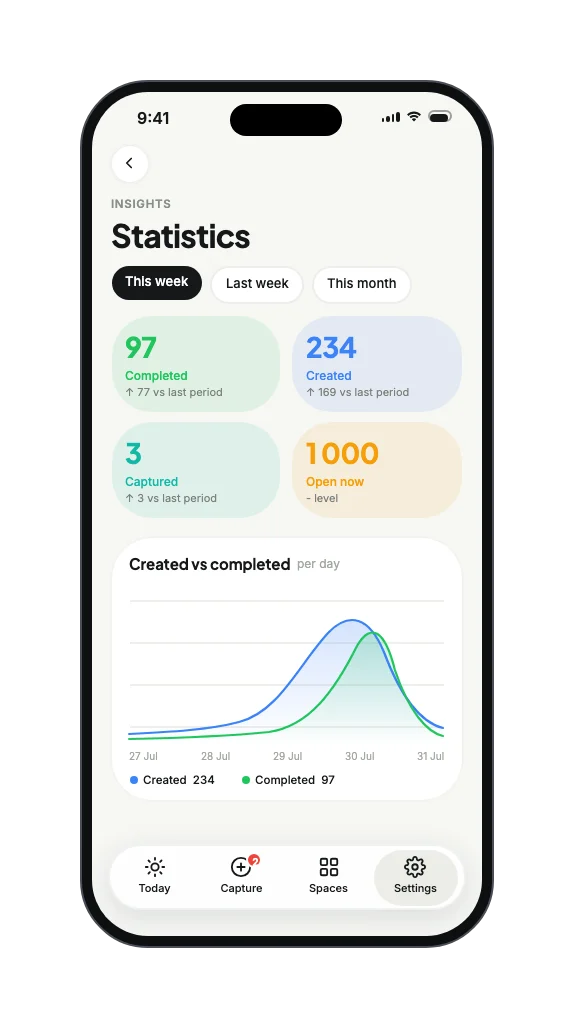 Statistics
Created against completed, honestly.
 Capture
Dump it now, file it to a space later.
- 01Ranked by commitment
Today surfaces what you committed to, not whatever an agent touched last. Stale statuses get flagged.
- 02Workspace rail
Every space as an app-style tile with a badge count, so you see where the fire is.
- 03Floating tab bar
Four tabs in a pill at thumb height. Capture always one tap away, with a live badge.
11 / Wrist and home screen
Capture in one breath.
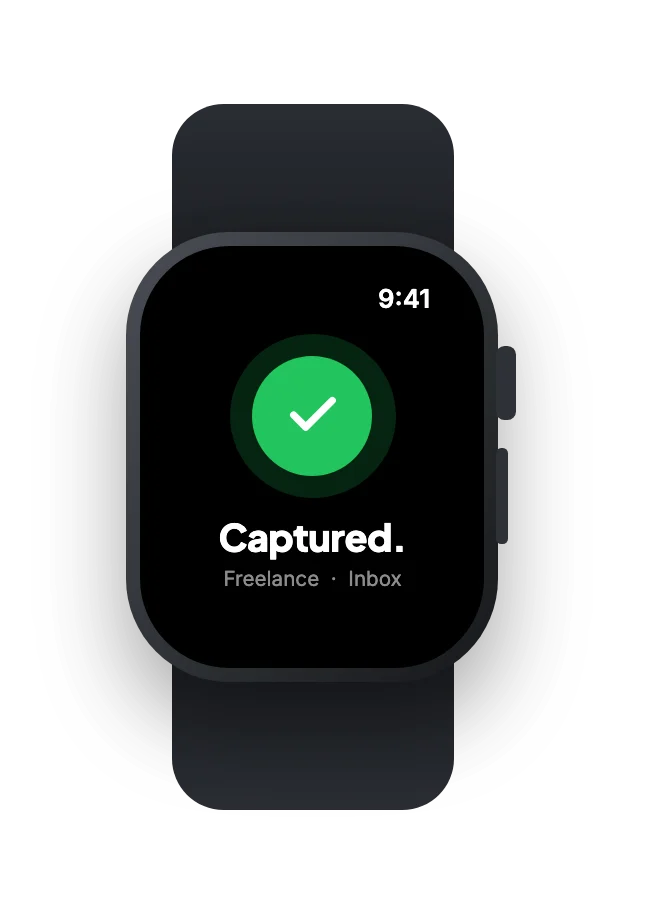
A watchOS app on its own API. Raise, speak, done: it answers with a single word. Complications in all four families, and home screen widgets that tell you the truth about your week.
 01Raise
Four actions, one tap each.
 02Speak
Dictation first. No typing on a wrist.
 03Done
It answers with one word: Captured.
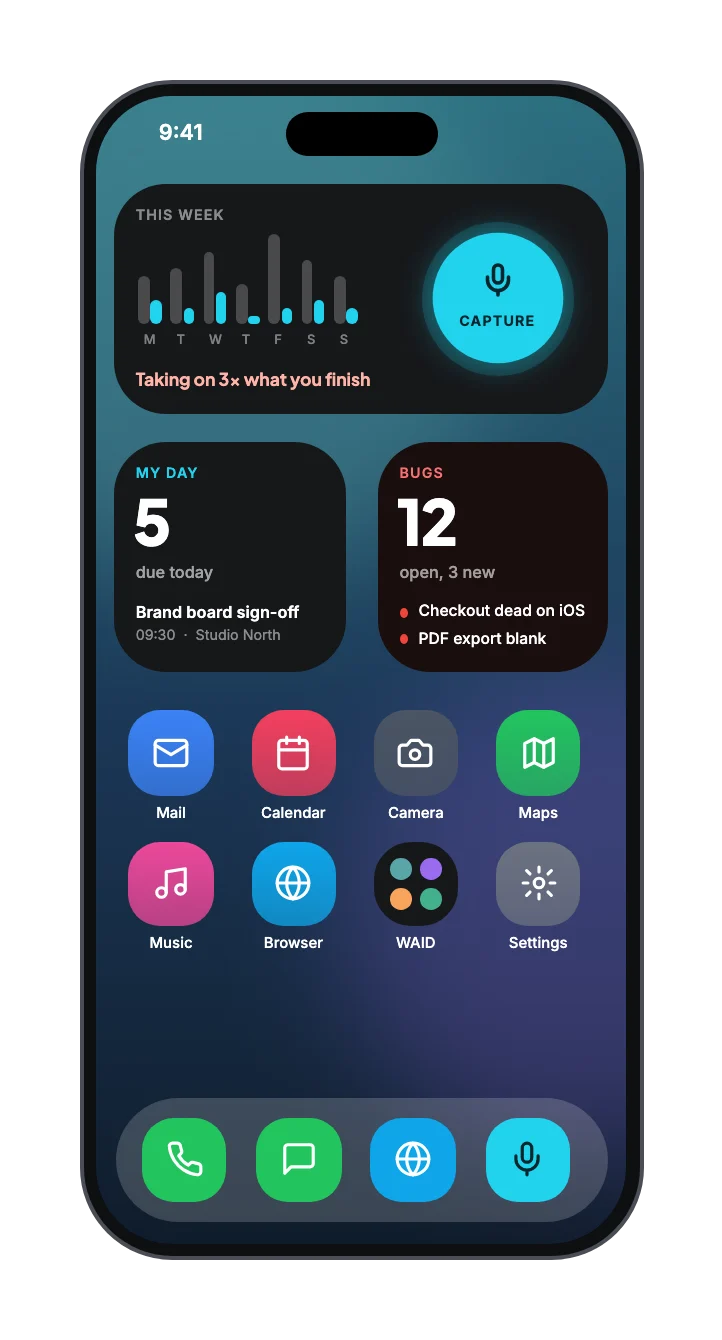 Home screen
My Day, Bugs and a capture button that never moves.
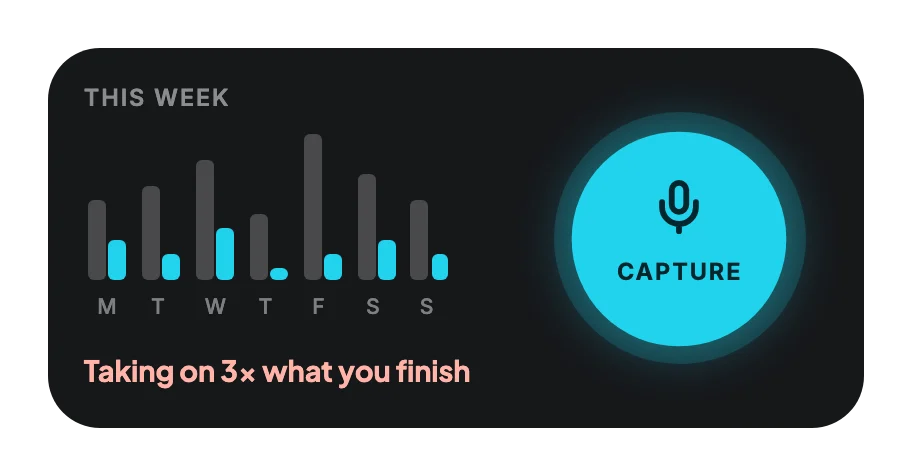 The honest widget
Closed against added, every day. Blunt copy on purpose.
 Glanceable
What is due and when, without opening anything.
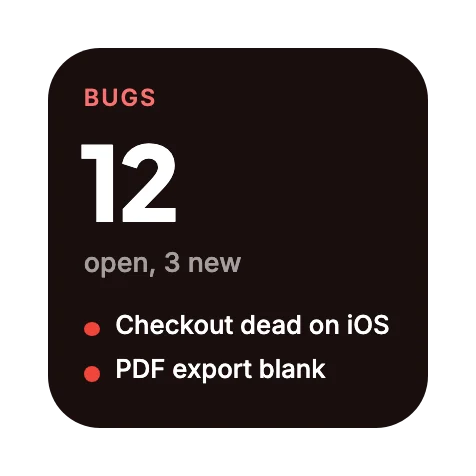 Bugs, separately
Red for a reason. Its own widget and complication.
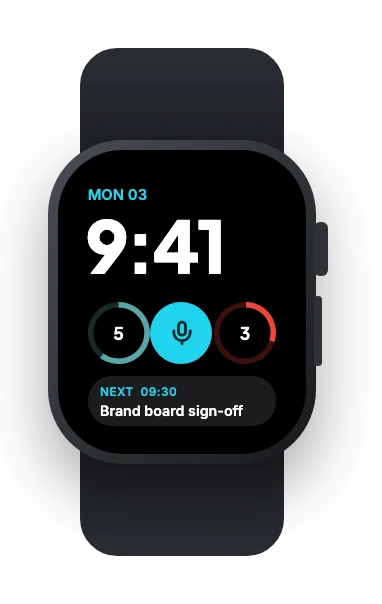 Complications
All four families: WAID, Bugs, Capture and Dashboard.
12 / The AI layer
Built for people. Operated by agents too.
WAID runs its own MCP server, so Claude and other agents can read and write your work with a personal key. Tools cover workspaces, tasks, pages, sprints, calendar and bugs, with daily limits per plan and row level security on every call.
Plan the website launch for Harbour & Co and put it on the board.
Done. The launch plan page is up, 12 tasks are on the Website rebuild board with owners and dates, and the go-live milestone is set for 14/09/2026. WEB-131 waits on the booking flow.
Tasks
- create_task
- bulk_create_tasks
- update_task
- search_tasks
- quick_capture
- bulk_update_tasks
Pages
- create_page
- append_to_page
- update_page
- get_page
Planning
- create_sprint
- create_milestone
- add_dependency
- list_dependencies
Calendar
- list_calendar_events
- create_calendar_event
Bugs
- list_bug_reports
- get_bug_screenshot
- update_bug_report
Team and time
- invite_member
- list_workspace_members
- log_session
- get_current_time
- 15 117
- agent calls logged
- 100 to unlimited
- calls a day, by plan
- 48%
- of comments written by agents
- 1 key
- per person, scoped by RLS
Works with
ClaudeClaude CodeChatGPTGemini CLICursorWindsurfCodexn8nHow WAID gets built
The two-Claude factory. WAID is built inside WAID.
One person sets direction. Claude in chat writes the spec and the SQL. Claude Code works the queue, ships, and reports back on the ticket. Every step lives on a WAID board.
- 01BriefRicardi
Sets the goal and the bar
- 02SpecClaude chat
Ticket, SQL and build prompt
- 03QueueWAID
Ticket waits in Todo
- 04BuildClaude Code
Builds, type-checks, commits
- 05ReportClaude Code
Report on the ticket, to Review
- 06ShipRicardi
Reviews and approves
- 131
- tasks shipped in one day, 10/05/2026
- 60
- iOS issues batched into 13 tickets and run in one unattended session
- 4 398
- comments written by the two agent accounts
13 / Integrations
Everything around the work, wired in.
-
Bug reporter
A floating button on any page, and an embeddable version for client sites. Every report becomes a task in the Bug column.
Report a bugWEB-140 created in BugCheckout button does nothing on iPhoneScreenshot attachedPage and project detectedSend report -
Google Calendar
Several Google accounts at once. Each calendar can feed one space, several, or all of them.
-
Billing
Subscriptions and add-ons through PayFast, priced in 9 currencies.
PROR149per month, billed in rand- 5 workspaces
- Time tracking and invoicing
- MCP: 2 000 calls a day
-
Email
Branded auth emails, assignment and due-date alerts, daily and weekly digests.
Your morning digest5 due today across 3 spaces- Brand board sign-off
- Approve wireframes
- Invoice Bloom Bakery
-
Sign in and alerts
Email, magic link, Google and Sign in with Apple. In-app bell, web push and reminders.
Continue with AppleContinue with GoogleEmail me a magic linkDue in 30 minutesBrand board sign-off · Studio North
14 / Under the hood
One Postgres. Every surface talks to it.
Seven clients, one source of truth. Row level security sits on every table, so the web app, the iPhone, the Watch and an AI agent all see exactly what that person is allowed to see, and nothing more.
- Web appNext.js 16, React 19
- PWAinstall, offline shell
- AndroidCapacitor 8
- iPhoneSwiftUI + WAIDKit
- WidgetsWidgetKit
- Apple WatchwatchOS + complications
- AI agentsany MCP client
- Vercelroutes, server actions, cron
- mcp-server63 tools, per-person keys
- mobile-apicompact endpoints, JWT
- watch-apicapture, search, bugs
- REST API v1documented, rate limited
- 69
- tables
- 188
- RLS policies
- 98
- functions
- 44
- triggers
- Authemail, magic link, Apple, Google
- Realtime6 tables, live board
- Storage8 buckets, signed URLs
- Vault + pg_trgmsecrets, fuzzy search
- PayFastsubscriptions, add-ons
- Resendauth emails, digests
- Google Calendarmulti-account sync
- Sign in with Appleplus Google OAuth
- APNs + Web Pushreminders, alerts
An App Group and a shared Keychain hand one login from the iPhone app to its widgets, intents and the Watch. One Swift client, WAIDKit, serves all of them.
- TypeScript strict
- Tailwind v4
- shadcn/ui
- Tiptap
- dnd-kit
- Framer Motion
- Recharts
- React Hook Form
- Zod
- Deno
- SwiftUI
- WidgetKit
- pg_trgm
POPIA-compliant terms and privacy. Data stored in the EU.
15 / Hard problems
What broke, and how we fixed it.
The policy that called itself
- Problem
- A membership policy queried its own table and quietly returned nothing. No error, just empty screens.
- Fix
- Security-definer helpers for workspace, project and admin checks. The same pattern now runs under 188 policies.
Agents get the same walls
- Problem
- The MCP server started open. An agent could see more than the person who connected it.
- Fix
- Per-person keys, membership filtering, plan limits inside the server and dedicated RLS for agent accounts.
Statuses that snapped back
- Problem
- Seeds and agents wrote “In Progress” and “in_progress”. Updates from MCP kept reverting.
- Fix
- A normalise-on-write trigger, a backfill, then rejection of unknown values at the database.
Payments in production
- Problem
- The live account had no onsite popup, and the content security policy blocked the redirect.
- Fix
- A server-side redirect route that also skips the service worker, plus de-duplication of payment notifications.
One login, four surfaces
- Problem
- Widgets, intents and the Watch each needed the session without asking again.
- Fix
- An App Group and shared Keychain, with WAIDKit as the single Swift client for all of them.
Lost captures on the Watch
- Problem
- Three captures vanished: a rename in the UI no longer matched a database constraint.
- Fix
- A guard on the constraint, a default capture space resolved on the server, and dictation first.
16 / Timeline
From first commit to the wrist in five months.
- 09/05Foundation
Spec, design system, schema, auth, app shell and a live dashboard in one day.
- 10/05Mega sprint
131 tasks in one day. MCP server live with 11 tools. Phase 1 done.
- MAYPlatform
Super admin, sprints, PayFast, bug reports with auto-tasks, plans in 9 currencies.
- JUN to JULTogether
Invites, labels, share links, custom fields, Google Calendar and team collaboration.
- JUL to AUGNative
Apple Watch on its own API, native iOS parity, 60 issues fixed in one unattended run.
- AUG to OCTHardening
Document revisions, private storage, RLS for agents, 63 MCP tools.
All dates are 2026.
17 / Business model
Priced for one hustle or a whole portfolio.
Four plans billed in rand through PayFast, with the same app at every level. What changes is how many spaces you run, how much you store and how hard your AI agents can work.
For a single hustle or family.
- 1 workspace
- 2 clients, 5 projects
- 100 MCP calls a day
- 500 MB storage
For freelancers who juggle a few clients.
- 2 workspaces
- Unlimited clients, 15 projects
- 500 MCP calls a day
- 5 GB storage
For studios and serious solo operators.
- 5 workspaces
- Unlimited clients and projects
- 2 000 MCP calls a day
- 25 GB storage, 3 members
For teams running a portfolio.
- Unlimited workspaces
- Unlimited MCP calls
- Unlimited storage
- Unlimited team, roles
Add-ons
Invoicing · R49 a monthEmail signature builder · R49 once-offMonthly prices from the live plans table, 15/10/2026. Also priced in USD, EUR, GBP and five more currencies. No card needed for the trial.
18 / The outcome
Live, used every day, and still shipping.
WAID is where every Dezignza project now runs, from the first ticket to the last invoice. It manages its own roadmap too.
- 541
- tickets closed on WAID’s own board
- 409
- bug reports turned straight into tasks
- 6
- platforms from one database
- 7
- edge functions, one per job
More work
 Newberry HouseOne platform for a whole school
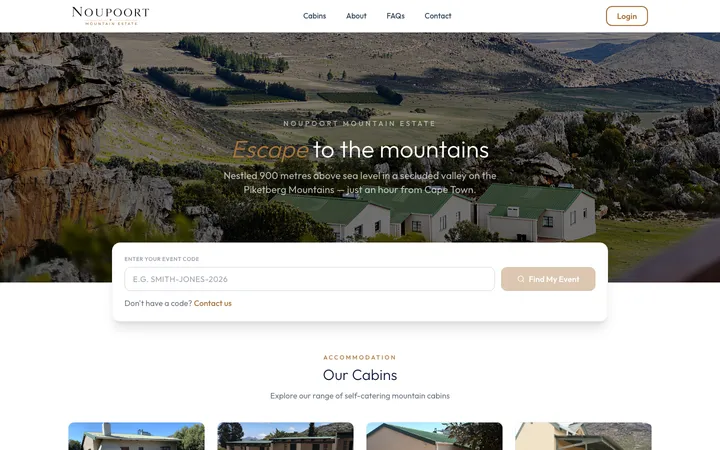 Noupoort Mountain EstateEvent-gated bookings and invoicing
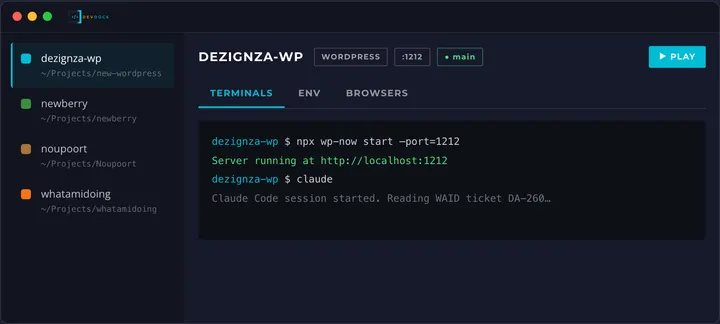 DevDockEvery dev project in one native cockpit
Want a platform like this for your business?
Design, build and hand over. Somerset West, working anywhere.