 Febe’s Licensing and Registrations
The whole licensing errand, on the phone.
Febe’s Licensing and Registrations is a vehicle licensing runner in Somerset West. Febe and Marsha stand in the queue at the licensing office so their clients don’t have to. We built febes.co.za so that clients do the whole application on their phone: choose the errand, photograph their documents, check the details read from them, sign once and send. Febe receives the official forms already filled in, with no WhatsApp back-and-forth.
- Client
- Febe’s Licensing and Registrations, Somerset West
- What we did
- Design, build, form filling, back office, SEO
- Built with
- A custom WordPress block theme and a custom plugin
- Website
- febes.co.za
It all ran through WhatsApp. Not any more.
Every job used to start with the same chat: which documents to send, whether a photo was clear enough, what it would cost and what still had to be signed.
The site exists to end that. There is one WhatsApp link, in the footer, for help. The work itself happens on the site.
- Before
- Documents, questions and prices passed back and forth on WhatsApp, one message at a time.
- Now
- One application on the phone. The forms fill themselves in from the photos, get signed once and reach Febe with one tap.
The task comes first. The pitch comes after.
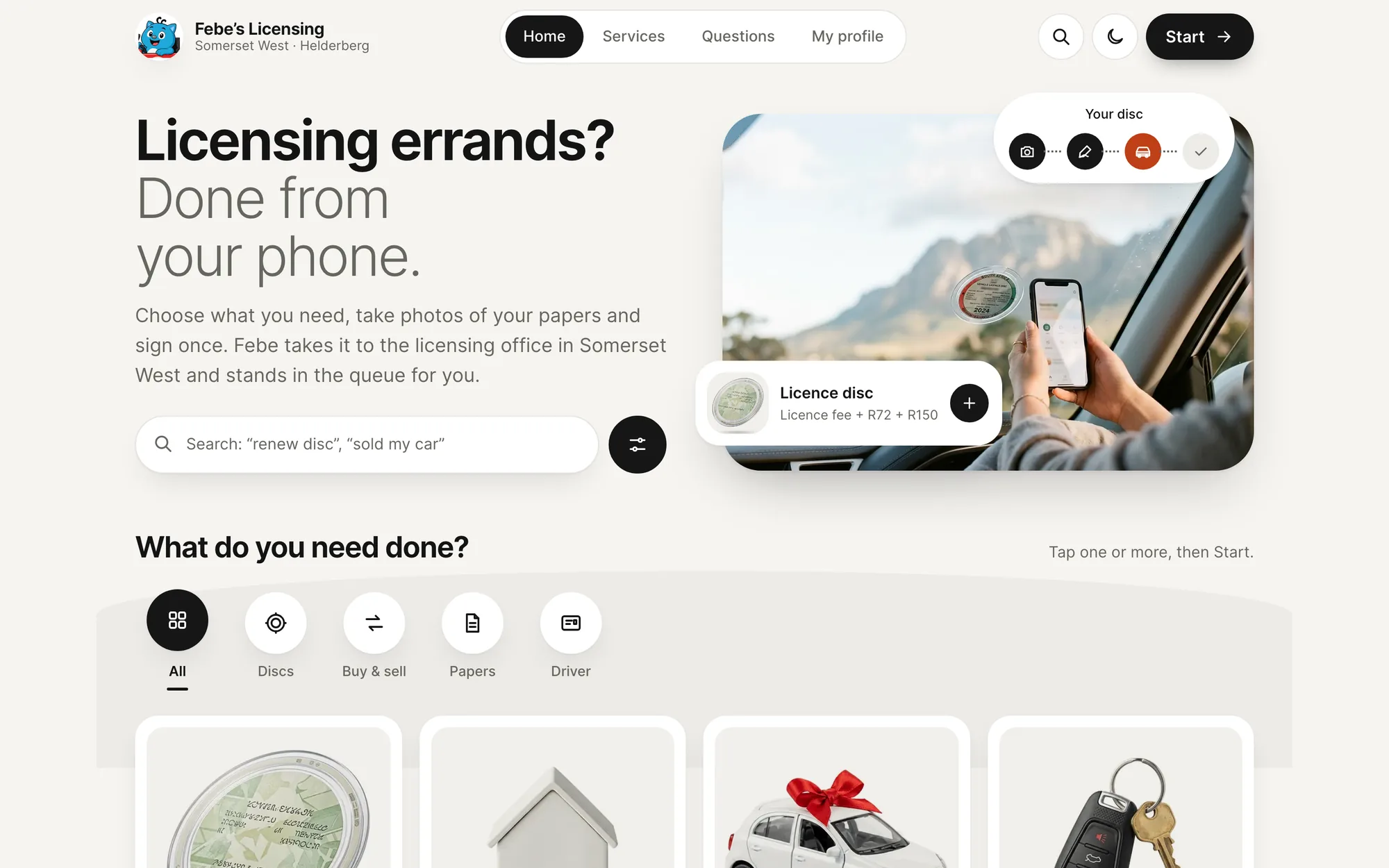
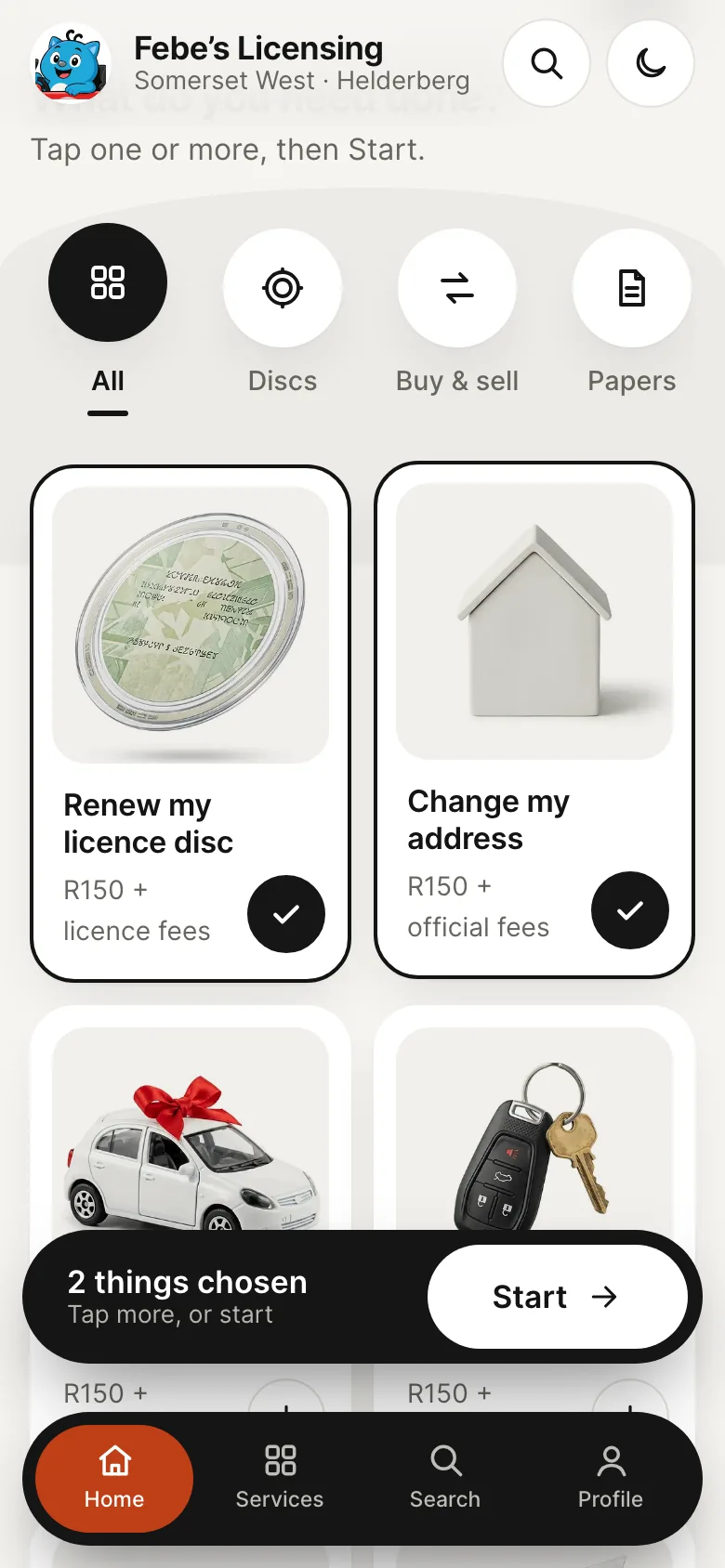
The home page opens on the job, not on a sales pitch. A search box sits under the headline, round filters narrow the list to discs, buying and selling, papers or the driver, and every service has its own card with a product photo on a light plate.
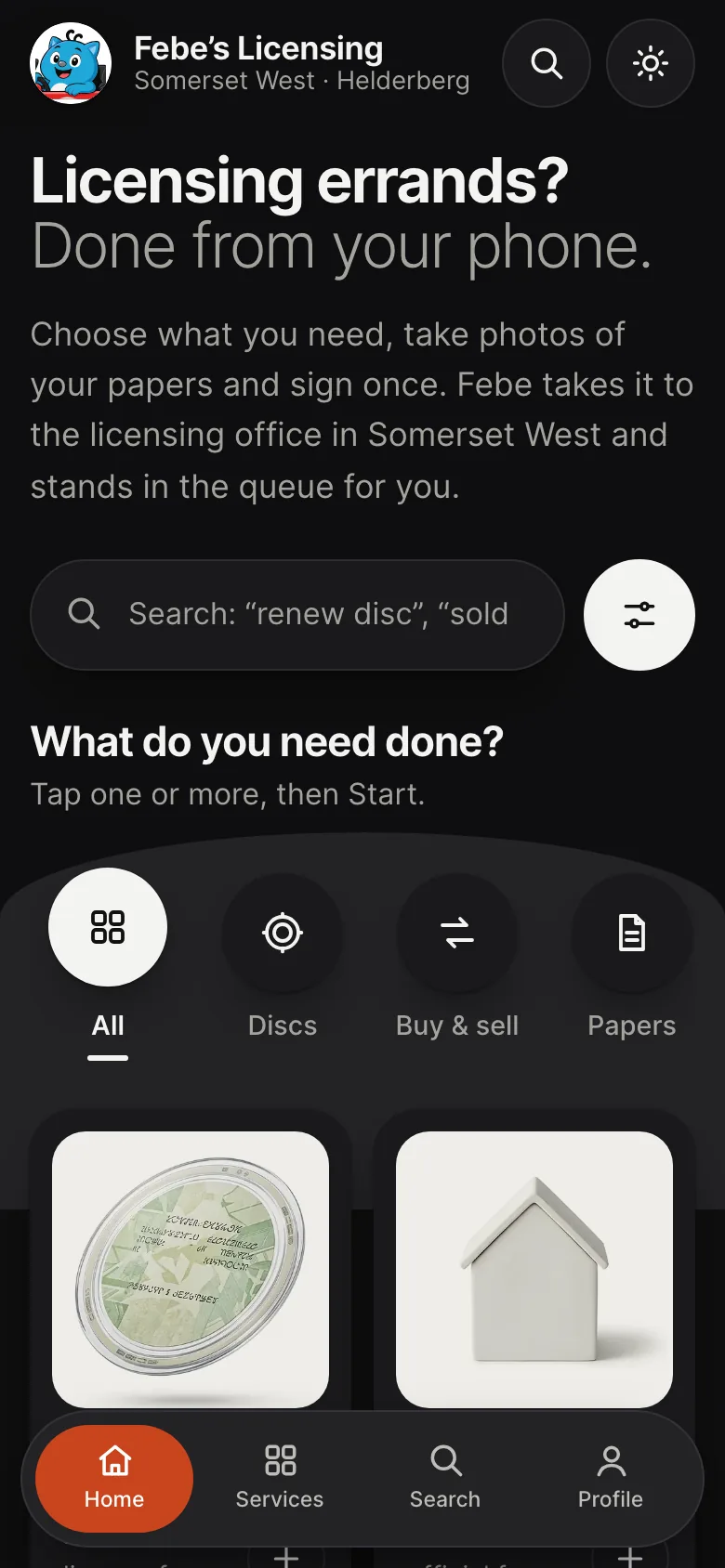
Clients tap one card or several. A black Start bar floats up with the count, and one tap takes the whole selection into a single application. On phones a black tab bar floats at the bottom, so Home, Services, Search and Profile are always under a thumb.
The search is forgiving. It copes with typos and plain words, so “sold my car” lands on the right errand.
Trust sits below the task. Light or dark.
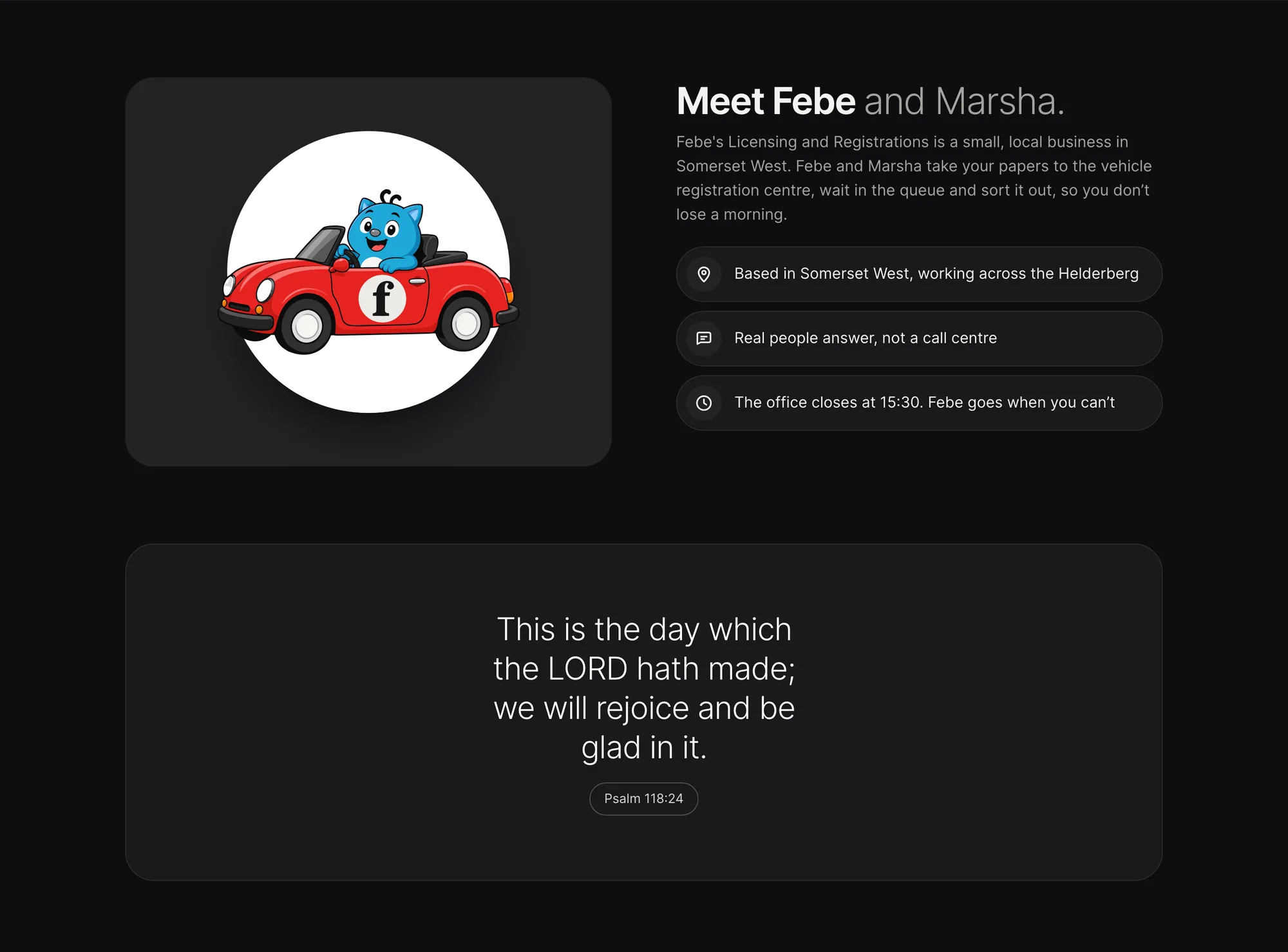
Further down the page are the reasons to trust a small business with an ID copy: how it works in three steps, the price before you send, Febe and Marsha themselves, how documents are kept safe, and quick answers. Psalm 118:24 has its own quiet place on the page, because it matters to Febe.
The whole site has a dark mode. It follows the phone’s setting, and a moon button in the header switches it by hand.
Photos first. A frame for every document.
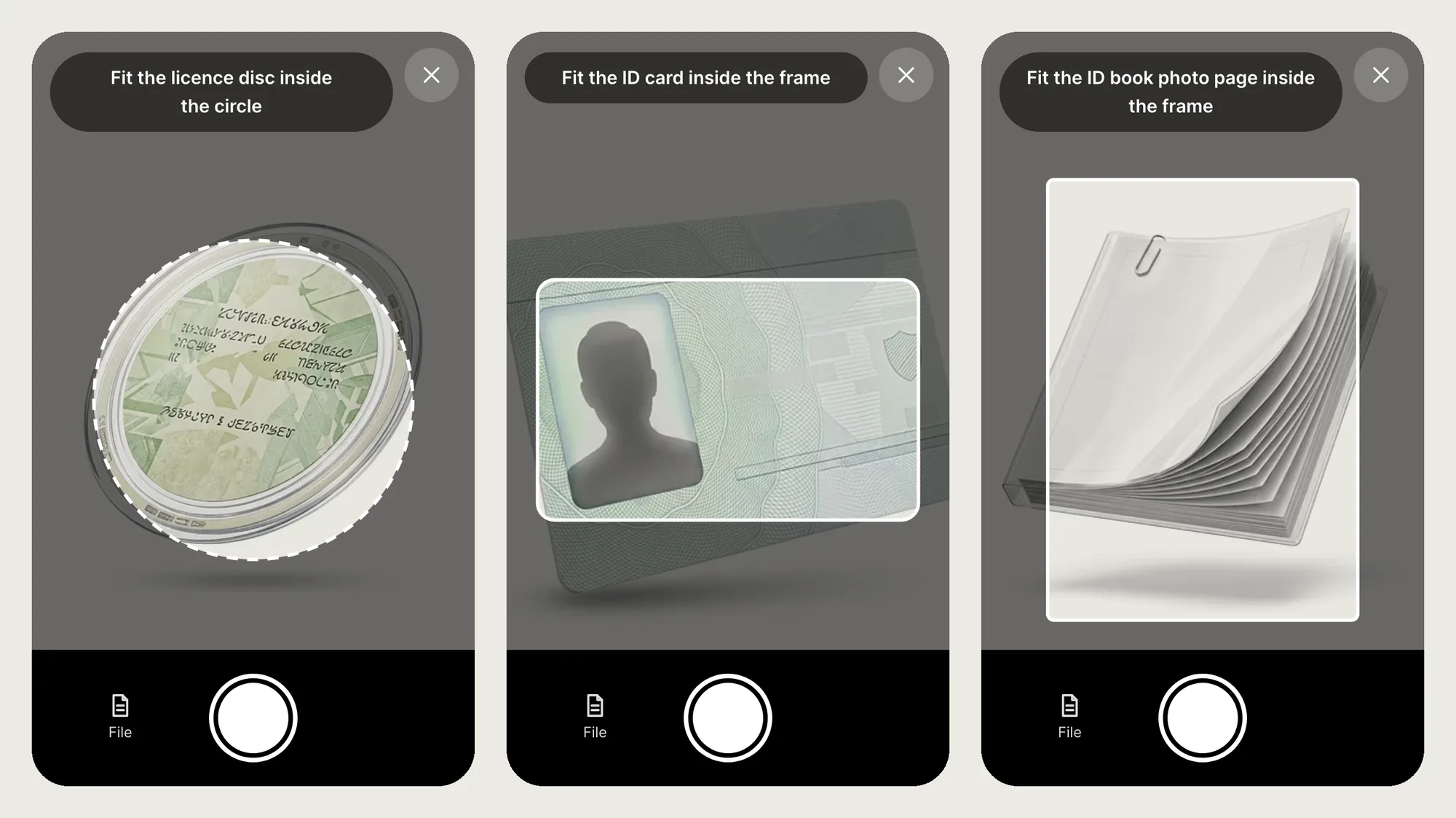
The application asks for photos before it asks anyone to type. On a phone the camera opens inside the site with a guide shape for the document in hand: a circle for the licence disc, a card frame for the Smart ID card and a tall frame for the green ID book. A File button sits next to the shutter for anything already on the phone.

Read on the phone. Nothing sent away to do it.
The barcodes on the South African licence disc and on the Smart ID card are read on the phone itself. A green line under each photo says what was found: the plate, the make and model, and when the disc expires.
The proof of address is read too. A PDF from the municipality gives up its text straight away. A photo of a bill is read with text recognition that also runs on the phone, and only loads when it is needed.
The step only asks for what the chosen errands need. One disc renewal needs a disc, an ID and a proof of address. Nothing more.

The details are there before they type.
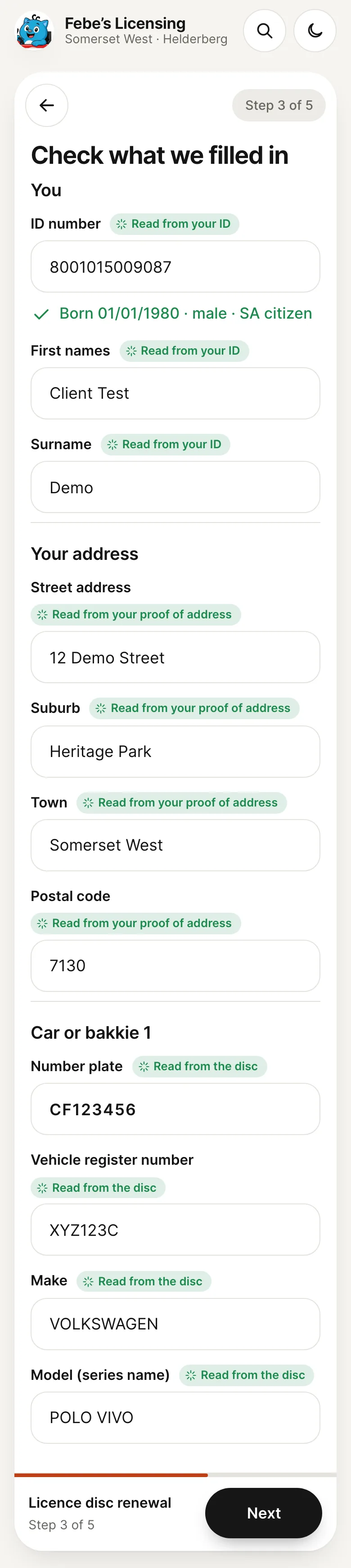
By the details step most of the form is already filled in. Each field that was read is marked with where it came from, and every one can still be changed.
- From the ID card
- Names and ID number. Date of birth, gender and citizenship are worked out from the number, not asked.
- From the disc
- Plate, register number, make, model, VIN and expiry date.
- From the bill
- Street, suburb, town and postal code. It never overwrites what the client typed.
- Foreign clients
- A passport or foreign ID, with the country of issue.
- Companies
- A tick box for a vehicle owned by a company or trust. The client signs as its proxy.
- Postal address
- Its own tick box, for clients who get post somewhere else.
- Trailers
- Trailers and caravans are marked “drawn” on the form, with no odometer.
One signature, on every form.
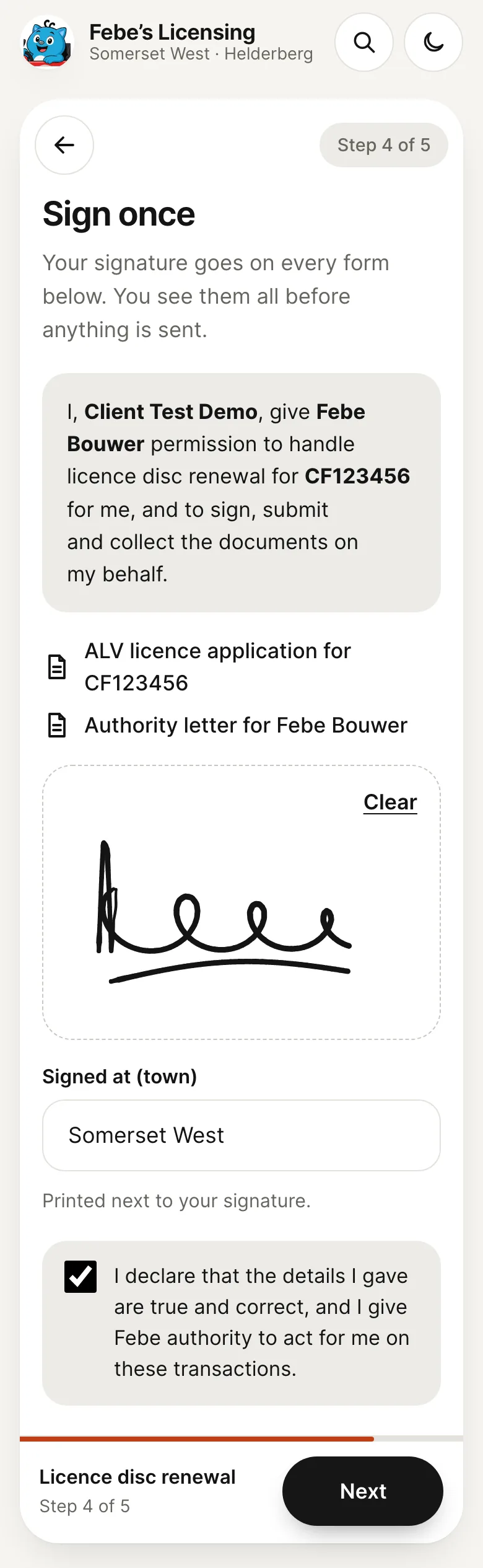
The client signs once with a finger. The same signature goes on the licence application, any other form the errands need and the authority letter, which says in plain words what Febe may do on the client’s behalf.
The step lists every document the signature will go on, so nobody signs something they have not seen.
The official forms, filled in box by box.
The site fills in the official NaTIS forms, the ALV for licensing and the NCP for a change of address, one letter per box. A clean authority letter carries Febe’s details, so the client never has to find them. The pack ends with copies of the client’s documents for the licensing office, printed two to a page.
The client sees exactly what will print, with an estimate from the Western Cape fee tables, and sends it all to Febe with one tap.
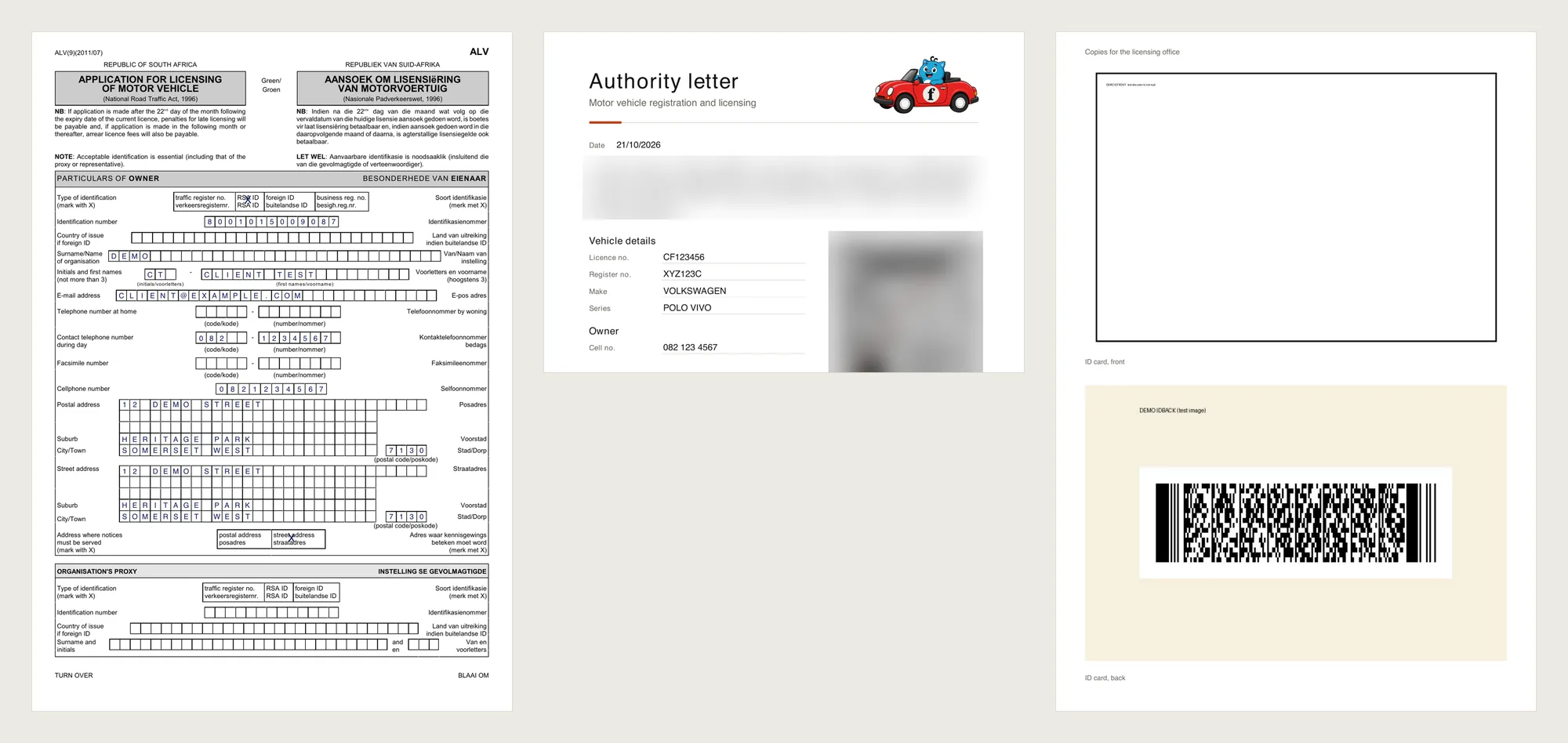
Febe’s own ID number, ID copy and signature are blurred here. On the site they are stored encrypted and only ever drawn onto the letter.
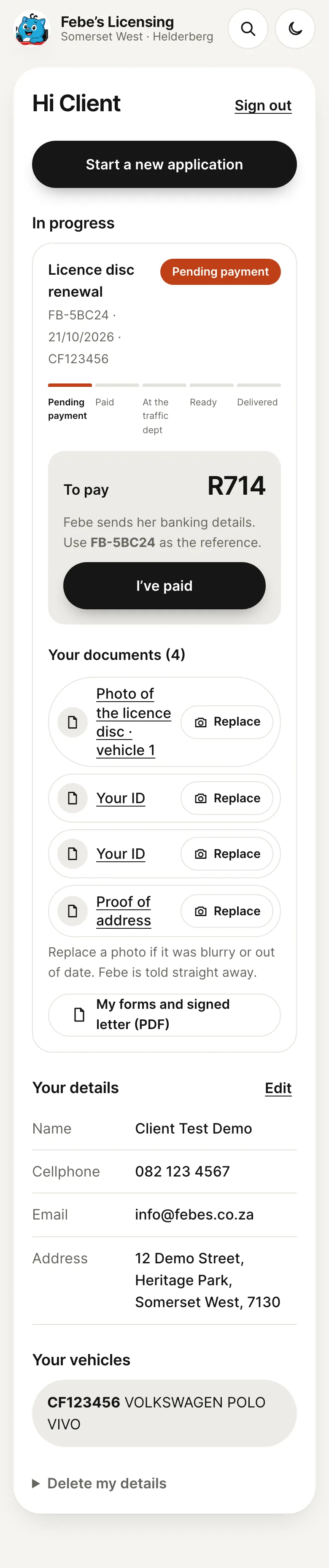
My profile. No password to forget.
Clients sign in with their email address, the last four digits of their ID number and a code sent by email. Their profile picks up where the application left off.
- To pay
- The amount Febe confirmed, her banking details and an “I’ve paid” button that tells her straight away.
- Documents
- View each photo, or replace one that was blurry or out of date.
- Details
- Edit the name, cellphone number and address until Febe goes to the office.
- Track
- Every application on a five-step track, from pending payment to delivered, with past ones kept below.
Febe’s side of it. Same look, less admin.
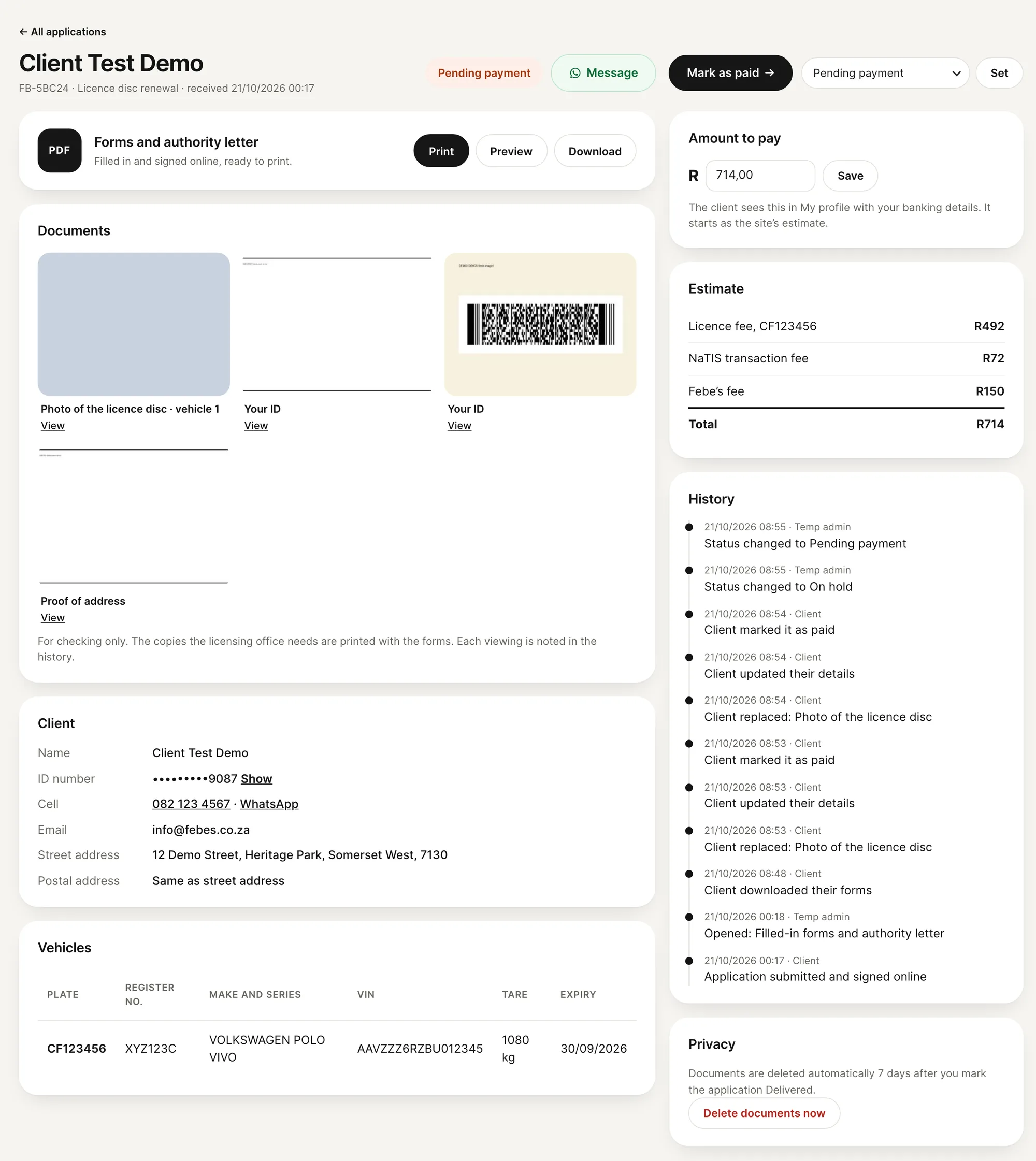
Applications arrive in a back office inside WordPress, restyled to match the site. The list is built for a busy morning: filter by status and by town, tick a few and move them together, or press the button on a row for the next step.
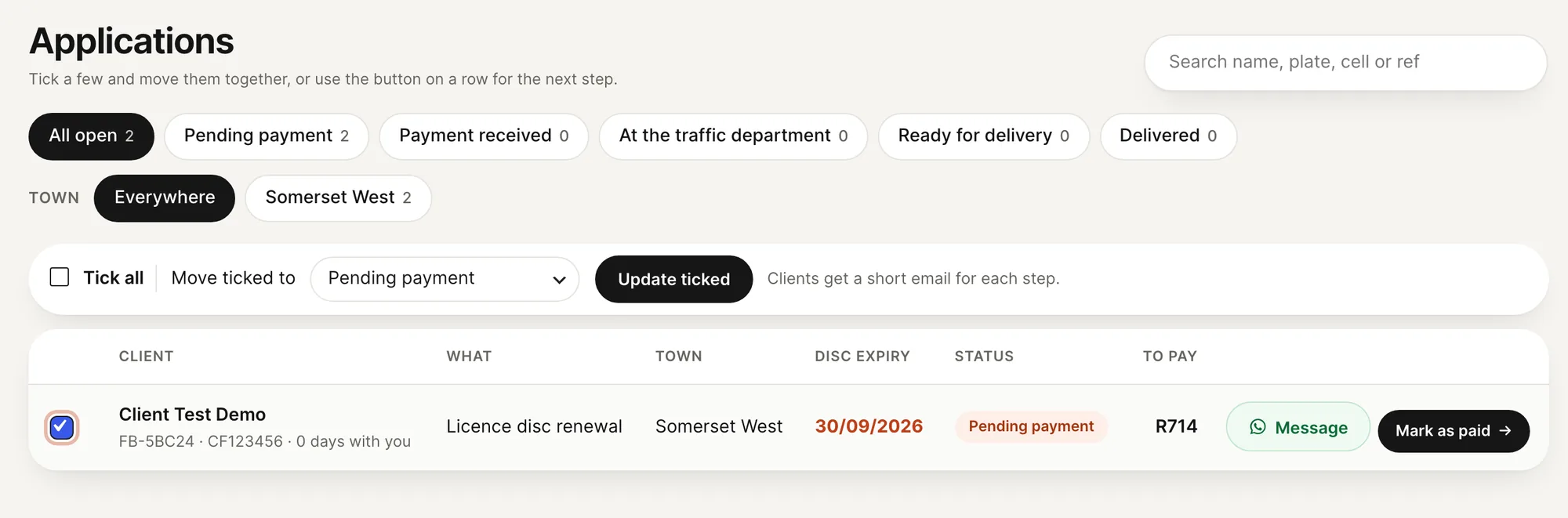
- Filters
- Status chips and town chips, so “Ready for delivery” in Stellenbosch is two taps away.
- Next step
- One button moves an application on, from paid to the traffic department to ready. The client gets a short email each time.
- Message
- A WhatsApp Message button next to every client, for the odd question that still needs one.
- Documents
- View-only thumbnails for checking, and Print for the whole pack. Every opening is written to the history.
Calm, like a good food app. Built to be found.
Many of Febe’s clients are older, and most are busy. The look takes its cue from the calmest ordering apps: off-white, white cards, black type and big, easy buttons.
The site went live for search engines with structured data on every page, an llms.txt file for AI assistants, and service and area pages that state the real fees.
- Type
- Inter throughout. Headings in bold, with a light grey second half.
- Colour
- Off-white, white and black, with one burnt orange used sparingly.
- Photos
- A product photo for every service, set on a light plate.
- Buttons
- Pills and round icon buttons with line icons.
- Built as
- A custom WordPress block theme and a custom plugin, with no page builder.
Designed and built by DezignZA in Somerset West.
 Real NutritionA calm product catalogue on WordPress
 De KeurboomA guesthouse site rebuilt for the phone
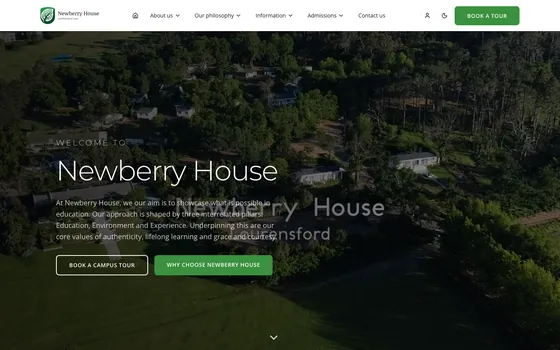 Newberry HouseOne platform that runs a whole school