01 — Somerset West, South Africa

A sixteen page public website, a role based staff dashboard and a family portal. One Montessori school, two campuses, 140 database tables, built end to end in six months.
- Next.js 16
- TypeScript
- Tailwind v4
- Supabase
- Vercel
- Resend
Design · Front end · Database · Integrations
On this page


The brief
A website nobody could update, a school running on spreadsheets, and 238 families kept in the loop by WhatsApp. We replaced all three with one platform.
What it runs
- 337
- children
- 474
- parents
- 238
- families
- 82
- staff
- 140
- database tables
- 21
- permission roles
- 16
- public pages
- 2
- campuses
The problem
Three systems that never spoke to each other.
The website
A redesign parents could not navigate and staff could not edit. Term dates lived in a PDF that was six months old.
Sixteen pages on a CMS the office edits itself. Live term dates, a tappable campus map, a prospectus that opens full screen.
The office
Admissions on paper, class lists in spreadsheets, and 238 family records held in four places that disagreed with each other.
One database. 140 tables, row level security on every one of them, 21 permission roles and a full admissions pipeline.
The parents
WhatsApp groups, a newsletter nobody could build, and no way to reach one campus without mailing the other as well.
A drag and drop newsletter builder with campus and class filters. 33 newsletters out, 474 subscriptions, zero spreadsheets.
How it was built
Process
- Discover
Site audit
Staff interviews
What actually breaks - Structure
140 tables
21 roles
Row level security - Design
Montessori, not corporate
Light and dark mode
One component language - Build
Next.js and Supabase
Shipped to preview weekly
Bug portal for the school - Hand over
Staff edit the site
Training and docs
Retainer, not lock in
The look
A design system the school can actually keep to.
Montessori green and a warm off white, not the blue and grey every school site defaults to. Two typefaces, eight colours, one card and one button. Light and dark mode throughout.
- #3A913FPrimary
- #2D5016Headings
- #1B5E20Deep
- #6AAF6EAccent
- #D4A843Gold
- #1A2F0EFooter
- #FAFAF7Page
- #1A1A1AText
Headings / Montserrat Light 300
Every child, known
Body / Open Sans 400 · Interface 600
Guides record observations. Parents see progress. The office sees the whole school in one place.
Components
24px corners · 1px rgba(58,145,63,.15) · shadow 0 1px 3px rgba(0,0,0,.06)
01 / The public website
Sixteen pages the office edits itself.
Everything a prospective parent asks on a tour, answered before they phone. Term dates, fees, the prospectus, the galleries and a campus map you can walk from your phone. All of it behind a CMS that reception updates without calling us.
- CMS
- Dark mode
- Campus map
- SEO
- POPIA forms

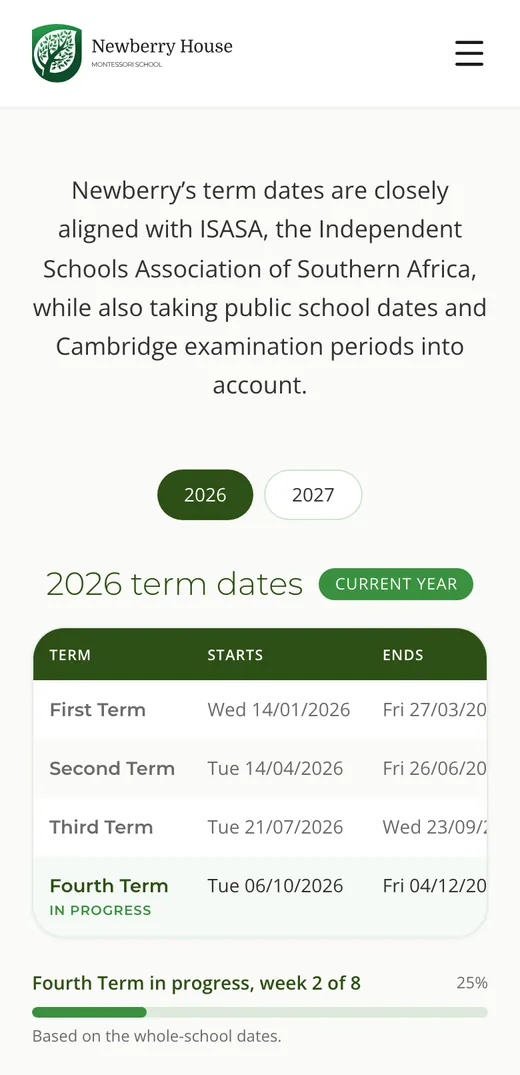
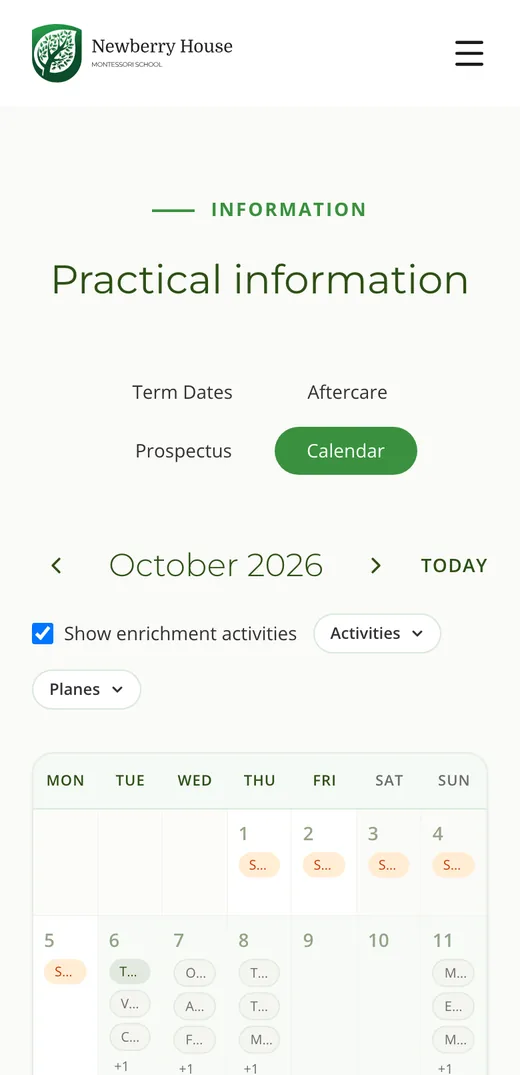
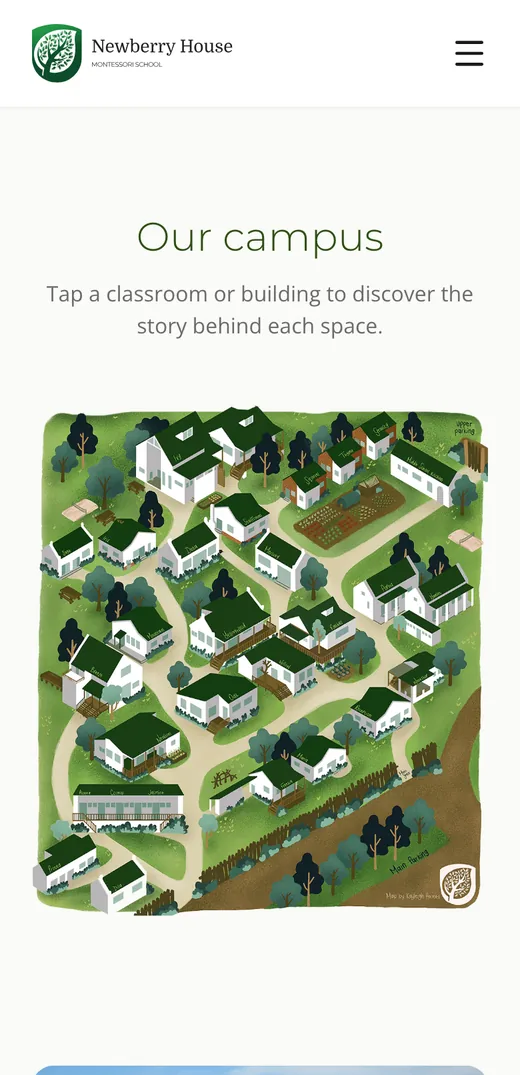
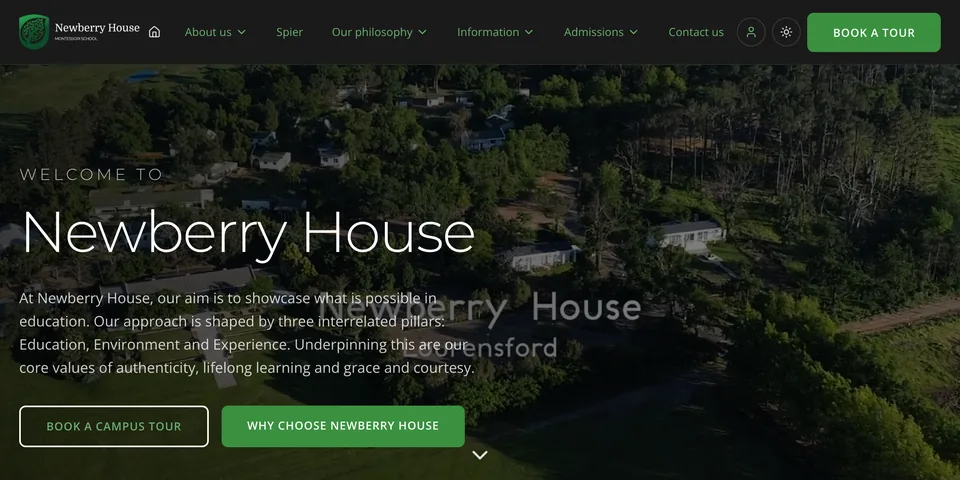
Light and dark mode throughout. The site follows the parent’s own device.
02 / The staff dashboard
One screen for the whole school.
Twenty-one roles, 735 permissions, and a View As switch so the Head can see exactly what a guide sees before anything goes live. Children, staff, admissions, attendance, enrichment, newsletters and the website, all behind one sign in.

- Admissions pipeline
163 applications, 203 tour bookings, observation feedback and POPIA consent, end to end.
- Transparent Classroom
248 children synced nightly. Montessori lesson records pulled straight into the profile.
- Google Classroom
38 Cambridge courses, 466 enrolments, mapped to the same child record.
- Newsletter builder
13 block types, drag and drop, audience filtered by campus and plane. 33 sent.
03 / The family portal
Every family,
one login.
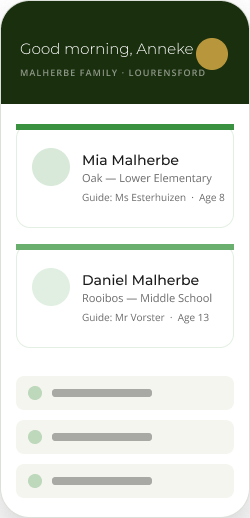
238 families, one emailed sign-in link and no password to remember. Siblings sit side by side on one screen, whichever campus or class they are in. Built, tested and waiting on the school’s own go live date.
- All your children on one screen
- Conference reports and report cards
- Cambridge subjects and courses
- Report a planned absence
- Enrichment and extra murals
- Edit your own contact details
Mock data shown. No real child record appears on this page.

Under the hood
Built to be handed over
No agency lock in. The school owns the database, the repository and the domain.
Data
- 140 tables
- Row level security on every one
- 11 storage buckets, 475 files
- Generated columns, indexed
- Nightly cron sync at 01:00
Access
- Google OAuth for staff
- Emailed sign-in link for parents, no password
- 21 roles, 735 permissions
- View As, for testing before go live
- POPIA consent on every form
Integrations
- Transparent Classroom, 248 children
- Google Classroom, 466 enrolments
- Resend, domain verified
- MCP server, 47 endpoints
- Vercel preview on every push
Next.js 16 · TypeScript · Tailwind v4 · Supabase · Postgres · Vercel · Resend · React Email
The outcome
Live since July 2026.
- 16
- pages live on newberry.co.za
- 238
- families migrated off spreadsheets
- 33
- newsletters sent from the builder
- 474
- parents on the subscription list
- 248
- children synced nightly from TC
- 0
- spreadsheets left in the office
What the client says
We received exceptional service from DesignZA in setting up our new website and back-end systems in time for the launch of our second campus at Spier.
What we particularly appreciate about DesignZA is not only their responsiveness, but also their proactive approach and genuine commitment to building something of real value for their clients. Highly recommended.
More work
Want one of these for your school?
Design, build and hand over. Somerset West, working anywhere.